Walkthrough
How to open a bank account and launder cash in Rob Run
Open a bank account as a Civilian in Looty Bay, launder cash at your base, and withdraw it at an ATM. See when banked money resets.
Quick answer
Open an account at Looty Bay Bank while playing as a Civilian. Process in-game cash at the Laundering Desk at your base and withdraw it at an ATM when needed.
Jump to the step-by-step instructions
Where is the bank counter and how much does an account cost?
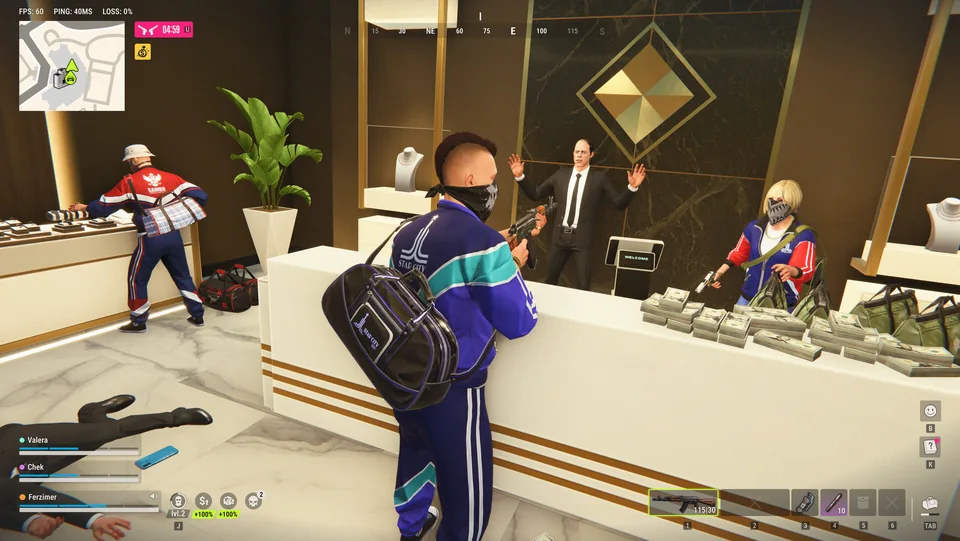
Bring $5,000 in in-game cash to Looty Bay Bank as a Civilian. In the main hall, find the round Payments & Ensurance booth, talk to the Bank Employee and choose Open Account. The ATMs are for withdrawals once your account is open. See the counter and price in the in-game screenshots.
ROB RUN’da banka hesabı nasıl açılır?
Sivil (Civilian) olarak yanında 5.000 dolar oyun içi nakitle Looty Bay Bank’a git. Ana salondaki yuvarlak gişede banka görevlisiyle konuş ve Open Account seçeneğini seç. Hesap açıldıktan sonra nakdi üssündeki Laundering Desk’te işle ve gerektiğinde ATM’den para çek.
Does banked cash survive a Rob Run wipe?
No. Kefir’s Federal Raid notice includes banked cash among the assets that are cleared and counted toward Jail Time. Banking protects your cash during the current run. See how the wipe treats cash and other assets, or calculate your State’s reset time.
Where can I withdraw cash in Looty Bay?
Once you have funds in your bank account, choose Withdraw Cash at an ATM. Use the community map to find the machine at Looty Bay Bank, near the Sunny Beach pier Fence, or in Palmside.

Rob Run wipe calculator estimates your reset from its age or opening time.
1. Visit the bank as a Civilian
Go to the Looty Bay Bank while playing as a Civilian and use the account-opening option there. Work through the prompts before bringing a large amount of cash to convert.
2. Use the Laundering Desk at your base
Kefir directs players to the desk at their base to process cash. Start with a small amount so you can see how long your current setup takes and where the balance appears once the batch completes.
3. Use an ATM when you need spending cash
Kefir says you can withdraw at any ATM. Take out what you need for the next in-game purchase so you can leave the rest in the account.
4. Check the wipe before planning a big upgrade
Kefir says the bank protects funds from theft until the next wipe. If the cycle is about to end, weigh an upgrade against how many sessions you have left to use it.